codyze-evaluator
Hardened OpenStack Example Project
Requirements
Python JEP
This project uses the CPG and therefore requires JEP to analyze Python code. See the CPG documentation for information on how to configure JEP.
Usage via Run Configuration in IntelliJ IDEA
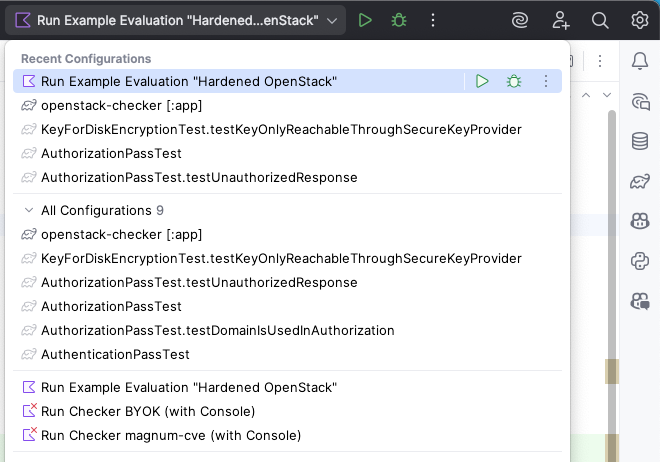
We provide a Run Configuration for IntelliJ IDEA which automatically runs the analysis on the hardened-openstack project.
You can select this on the top right of the IDE (left of the green play button) and choose Hardened OpenStack Analysis.
You can then run the analysis by clicking the green play button.
The menu will look similar to this:
Usage via Command Line
To run the analysis from the command line, you can use the following command:
./gradlew :examples:evaluate-hardened-openstack:run
Web Console
After running the analysis, you can view the results in the web console by navigating to http://localhost:8080 in your web browser.